eDigital logs your Gmail on the right contact, turns every enquiry into a lead with a next step and shows your team who’s following up.
Small teams win work in their inboxes. The conversations are all there. It’s the follow-ups that get lost.
Every email lands on the person it belongs to, every lead has an owner and a next step, and the whole team can see what’s happening.
Sent and received emails appear on the contact’s timeline.
Gmail Templates Scheduling
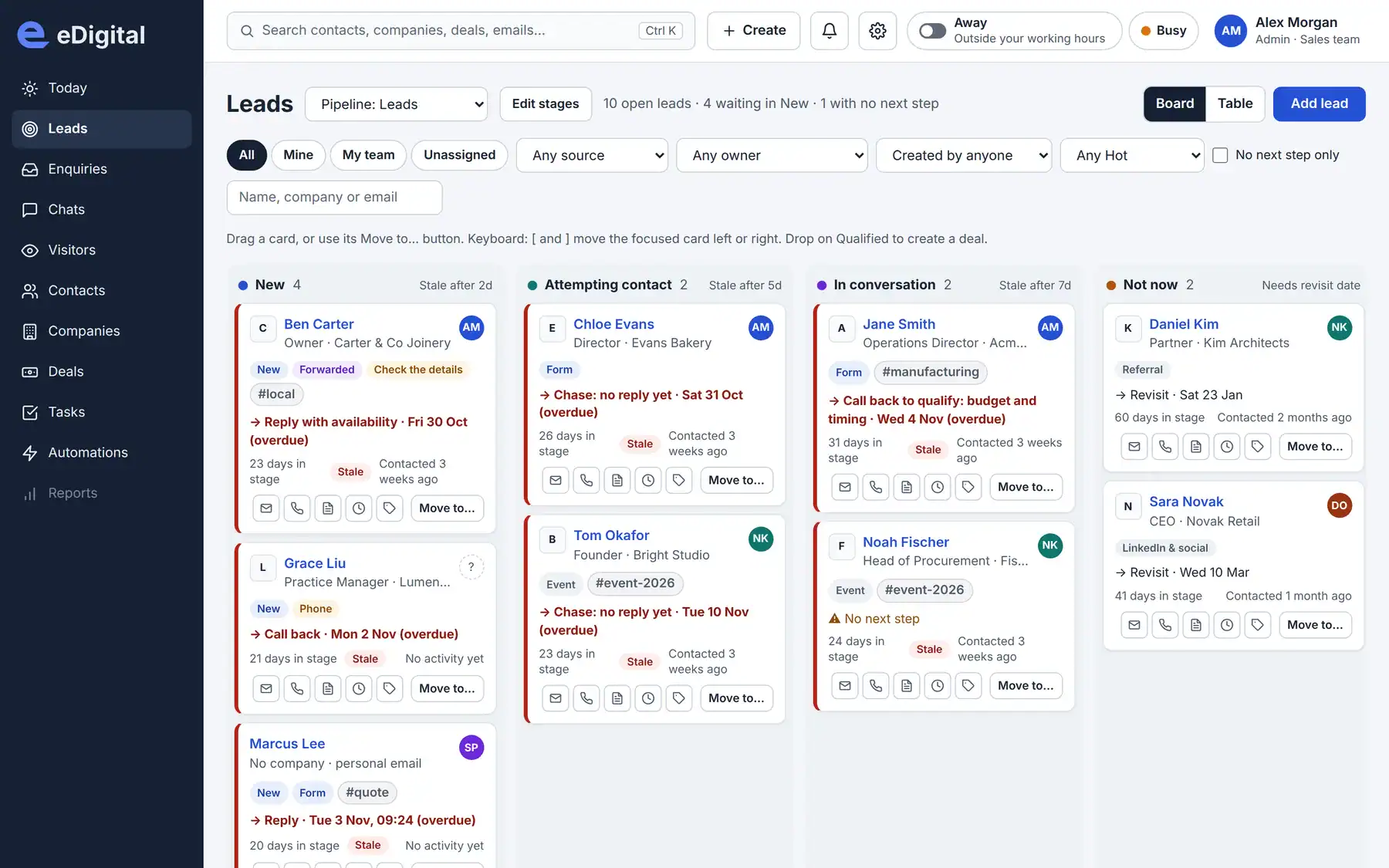
Every lead has a stage, an owner and a next step.
Stages Next steps Stale alerts
Deals on their own pipelines, priced from your list.
Pipelines Price list VAT
However someone gets in touch, they arrive as a lead.
Forms Company inboxes Chat
Visitors pick a time and arrive with the meeting booked.
Google Calendar Round-robin
Everyone sees every record; roles decide what they can do.
Roles Teams Working hours
Each person connects their own account. Emails with your contacts start appearing on their records.
Enquiries arrive with an owner and a first step. Move each lead on as the conversation goes.
Turn a qualified lead into a deal, with amounts from your price list and VAT worked out for you.
Small teams that win and look after customers by email: a few people up to a few dozen, with a shared list of leads and deals.
Yes. Each person connects their own Gmail or Google Workspace account, and emails with your contacts are logged on their records.
Everyone who can see the contact, so a colleague can pick up where you left off. You can leave out a single email, a Gmail label or a person, and it never reaches the CRM.
Yes. You can import contacts, companies, leads, deals, notes, tasks, calls and custom fields, matched to the people in your team.
Yes. Each business has its own workspace, and nothing in one can be seen or changed from another. Your Admins can export everything at any time.
Get in touch with a line about your team and how you keep track of sales now, and we’ll take it from there.